










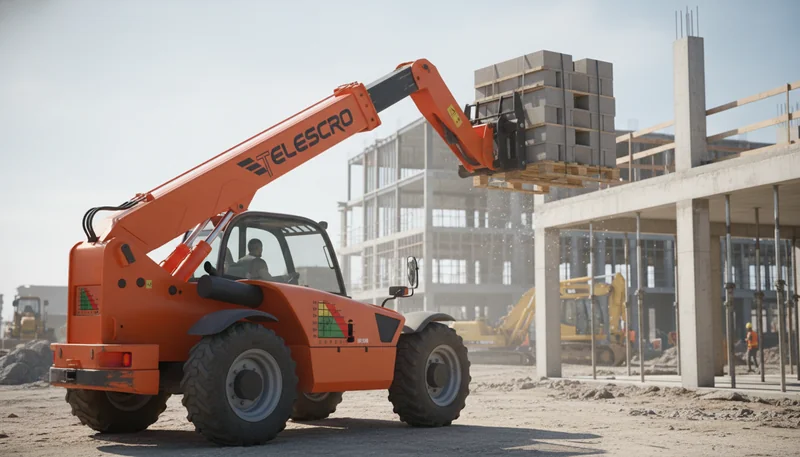
How to Read a Telehandler Load Chart: Field Guide to Avoiding Costly Lifting Errors
Last month, I watched a team in Turkey nearly tip a 14-meter telehandler trying to place a load at full reach—because they assumed “rated capacity” applied at any position. It’s one of the most expensive misunderstandings I keep seeing, from Finland to South Africa.
A telehandler load chart displays the machine’s maximum permitted lifting capacities in grid form, cross-referencing lift height and working radius1. Capacity diminishes rapidly as reach increases, due to the interaction between load moment2 and machine stability. Different attachments—forks, buckets, or jibs—and changes in load center shift the chart’s safe limits, sometimes resulting in over 30% variation. Color-coded zones indicate safety across configurations, with prohibited ranges clearly marked.
How Is a Telehandler Load Chart Structured?
A telehandler load chart presents safe lifting capacities by using a grid where horizontal axis shows reach or working radius and vertical axis shows lift height. Capacity values or curves indicate maximum allowable loads at each intersection. Color codes—green, yellow, red—clarify safe, caution, and prohibited zones. Charts may also segment data for attachments or outrigger configurations.

Last month, a customer in Dubai asked me why his new 4-ton telehandler couldn’t safely lift a 2,000 kg load at maximum reach. The answer always comes back to the load chart structure. Picture the chart as a simple grid—the bottom axis shows how far you’re reaching out (the working radius), while the left axis shows the lift height.
Each cell in that grid lists how much weight you can actually handle at those exact settings. Sometimes you’ll see curved lines instead of numbers, but the principle is the same.
Most charts use color codes for easy reading—green for safe, yellow for caution, and red means don’t risk it. One project in Kazakhstan, the team kept staying in the green zone, but when they switched attachments, their margin for safety disappeared.
I’ve seen many operators overlook the detail that the chart might have different panels or sections for special equipment, like winch or bucket attachments, or when using outriggers compared to tires only. It’s easy to make a costly mistake if you only check the main page.
If you’re planning a lift at 11 meters out and 7 meters up, you find that cross point and see what the number says. If your total load—including pallet, forks, and rigging—exceeds even by one kilogram, it’s not a safe lift. To be honest, I suggest always double-checking your actual setup against the chart and never guessing. That habit stops accidents before they start, especially when every jobsite is different.
"TelehandlerFalse
"The
The left axis of a telehandler load chart always represents the maximum horizontal reach of the boom, while the bottom axis indicates the load weight in kilograms.False
The bottom axis of a telehandler load chart represents the working radius or horizontal reach, while the left axis shows the lift height. Load weight is displayed within the grid cells or along capacity curves, not as an axis. Misinterpreting the axes can lead to unsafe lifting decisions.
Key takeaway: Knowing how to interpret a telehandler load chart’s axes, capacity cells, and color codes is crucial. Operators can quickly assess whether a planned lift is within safe limits, reducing the risk of costly errors, equipment damage, or accidents by avoiding loads that exceed rated capacity in specific configurations.
Why Does Telehandler Capacity Drop With Reach?
Telehandler lifting capacity decreases as boom reach increases due to the load moment: the force created by multiplying load weight by distance from the machine’s center. As the boom extends, leverage increases, reducing safe lifting limits. Load charts display this with declining capacities at greater reach, reflecting essential operational physics.

Let me share something important about telehandler capacity and boom reach—most people glance at the headline rating and assume it’s good for any job. That’s rarely true. The further you extend the boom, the more the weight acts like a lever, pulling the machine forward.
The load moment—basically, weight times distance from the front axle—rises fast as you go out. This is why a model rated for 8,000 pounds close-in might only handle around 2,000 pounds at full extension, say 25 feet. That’s a huge drop, and it’s front and center on every load chart.
I’ve worked with a site manager in Chile who learned this the hard way. He planned to lift precast panels, each weighing about 2,200 pounds, up to a balcony 24 feet out. On paper, his mid-size machine had enough capacity. At maximum reach, the chart showed just 2,000 pounds—too little for the panels.
They had to call in a second machine, delaying the project by two full days and adding unexpected costs. This type of mistake happens everywhere—from Vietnam to Canada—because people skip past the detailed chart and focus on the headline spec.
The key is not just checking the max rating but knowing how your load changes with distance and height. I always recommend studying the load chart, especially at your farthest expected reach and top working height. That’s where stability limits come into play, and it’s where accidents or breakdowns often start. Don’t let a simple calculation put your crew or project at risk.
Telehandler load charts factor in both boom angle and extension to determine maximum safe load, meaning capacity decreases significantly as reach and boom height increase simultaneouslyTrue
Load charts combine boom extension and angle because both affect the load moment. Higher boom angles generally reduce horizontal reach but increase vertical height, altering the lever arm distance and stability. Therefore, maximum allowed load varies depending on the combination of these parameters.
The maximum rated capacity of a telehandler remains constant regardless of attachment type or configuration because the machine’s hydraulic system compensates automaticallyFalse
Attachment type impacts weight distribution, leverage, and overall load moment.</p> <p>Hydraulic systems provide lifting force but do not change mechanical stability constraints or chassis capacity, so maximum load ratings must be adjusted when using different attachments or configurations, as reflected in the load chart.
Key takeaway: Always reference the telehandler load chart at maximum boom extension and height. The rated capacity at short reach does not apply further out. Overlooking this relationship is a leading cause of lift accidents or costly equipment damage in the field.
How Do Attachments Impact Telehandler Capacity?
Telehandler load capacities are directly affected by the type of attachment and the load center distance. Load charts specify ratings for each attachment—such as forks, buckets, or jibs—and for specific load centers. Using mismatched charts or overlooking attachment weight can reduce safe lifting limits by 30% or more and lead to costly tipping errors.

The biggest mistake I see is operators using a fork load chart for every job, no matter what’s mounted to the boom. That’s a fast way to end up underpowered—or worse, risking a tipping incident. Several years ago, I worked with a team in Kazakhstan using a 4-ton telehandler to lift grain bags.
They switched between forks and a general-purpose bucket, but always used the same chart. Their safe capacity changed by nearly 1,200 kg without them realizing—just because the bucket’s weight and shape shifted the load center further out. That near miss cost them two days for inspections and re-training.
Here’s why attachments matter so much:
- Forks – Designed as the “baseline” attachment; standard load charts assume a 24-inch (600 mm) load center for most pallet work.
- Buckets – Heavier and deeper than forks; bucket weight and overhang push the load further, quickly reducing safe capacity by 20–35%.
- Jibs or Winches – Move the lifting point farther out; what looks like a 2-ton load with forks may drop to 1.2 tons or less.
- Custom or non-OEM attachments4 – Often heavier, sometimes not factored into the original chart at all; a major source of confusion.
From my experience, always check the load chart’s attachment symbol matches what’s on your boom. If you’re handling long loads, like timber beams or roof trusses, measure your actual load center—it’s rarely the “textbook” 24 inches. When you’re unsure, de-rate your limits by at least 20%. It’s better to stay safe than risk damaging both machine and reputation.
Using the load chart for forks when a general-purpose bucket is attached can overstate a telehandler’s lifting capacity by up to 1,200 kgTrue
Attachments like buckets have their own weight and altered load center, significantly reducing the telehandler’s effective lifting capacity compared to forks; ignoring this can lead to unsafe loads beyond the rated capacity.
Telehandler load charts are standardized so operators can use any chart regardless of the attachment size or typeFalse
Load charts are specific to machine configurations and attachments; using charts without adjusting for attachment weight and geometry risks incorrect capacity assessments and potential tipping hazards.
Key takeaway: Always reference the load chart that corresponds to the exact attachment and load center in use. Incorrect chart selection or unverified load centers can drastically reduce lifting capacity, increasing safety risks and potential operational costs. When uncertain, always de-rate and stay well below printed capacity limits to avoid incidents.
How Do Boom Indicators Guide Load Limits?
Telehandlers use boom angle indicators5 and extension markings to directly correspond with zones or curves on the load chart. Operators must read the specific angle and extension markings from the cab, then reference these on the chart to determine safe load capacity. Guesswork should be avoided, especially near chart limits, to prevent overloading.

Most people don’t realize that those boom angle and extension indicators are your first line of defense against overloading. On a noisy jobsite, I’ve seen operators in Brazil try to eyeball the boom’s position—especially if they’re under pressure to keep materials moving. The danger? Your actual angle or extension can be off by enough to shift the machine from a safe zone straight into a risk area.
For example, a 4-ton telehandler with an 18-meter reach might hold almost 3,000 kg when the boom is retracted and low, but at 14 meters extension and 60° angle, that rating can drop to 800 kg or less. Trusting your eyes over the indicators can easily push you beyond those safe numbers.
Let me share something important about how to use these indicators correctly. In the cab, glance at the boom angle gauge—usually marked in degrees—and the extension markings, which might be labeled A to H or just numbered. Then match those figures to the exact zones or curves on your load chart.
I’ve worked with a team in Kenya who added colored tape to their boom at key chart points. It saved them real time, especially when lifting ductwork up four stories several times a day. But remember, if your attachment is different from the chart or the outriggers aren’t out, always assume your capacity is much lower.
From my experience, relying on the physical boom indicators and double-checking your chart every lift isn’t just about following protocol—it can prevent a costly accident or machine damage. I suggest building this habit before you ever approach the chart’s limits.
The telehandler load chart requires operators to cross-reference both boom angle and extension simultaneously to accurately determine the maximum safe load capacityTrue
Load charts factor in boom angle and extension because as the boom extends or moves from the vertical, the leverage effect increases, reducing lifting capacity. Operators must use both parameters together rather than independently to stay within safe limits.
Boom indicators simply provide an estimated boom position and do not influence the telehandler’s lifting capacity calculations or safety systemsFalse
Boom indicators provide precise, real-time data on boom extension and angle, which are critical inputs for the onboard load moment indicators or stability systems that alert operators when load limits are approached or exceeded, enhancing safety.
Key takeaway: Always rely on boom angle and extension indicators to match the telehandler’s actual position with the load chart. Ensuring the indicators, attachment, and outrigger configurations precisely align with the chart’s parameters is essential for safe and accurate lifting, especially when working near the machine’s rated capacity.
What Is a Safe Telehandler Pre-Lift Chart Check?
A safe telehandler pre-lift chart check involves three essential steps: confirm the total load weight6—including pallet, crate, and attachments—using accurate documentation or scales; precisely measure the required height and outreach from the machine to the load center; and cross-reference these values against the telehandler’s load chart7 matched to the correct attachment and outrigger configuration.

Most people don’t realize that a sloppy pre-lift check causes more jobsite drama than a breakdown does. I worked with a warehouse team in Kazakhstan who skipped confirming actual pallet weight—not once, but twice. First load “felt light,” so the operator trusted the carton label.
But when they lifted to 9 meters, with the boom stretched to nearly max reach, the overload alarm went off and the back end started to tip. Turns out, the pallet plus crate and metal mesh totaled almost 2,200 kg—well over their 1,700 kg safe limit at that position. A quick check with a floor scale could’ve saved them hours sorting it out.
From my experience, step two is where teams often cut corners. They’ll measure the total travel height but guess at the distance from the tires to the pallet center. A customer in Brazil was sure his telehandler “could easily hit 10 meters.” But the load had to be placed inside a foundation pit, requiring almost 7 meters of horizontal reach.
The difference between 10 meters vertical and 10 up/7 out is the difference between a trouble-free lift and a serious incident. Always measure from the front tire to the exact middle of your load.
The last step—matching your chart to your actual attachment and outrigger setup—takes less than a minute but prevents major mistakes. If you’re using something like a 4-ton high-reach model with forks and no outriggers, check those intersecting values on the chart before you lift. I suggest stopping and recalculating anytime someone swaps attachments or you move the machine position. That habit keeps everyone safer and avoids surprise downtime.
Pre-lift load chart checks must consider the combined weight of the load and any additional attachments or containment materials, as these can increase total weight by over 10% and affect stabilityTrue
The total lifting weight often exceeds the nominal load due to crates, pallets, or metal mesh, which contributes additional mass. Ignoring these leads to inaccurate load assessment and possible overload alarms or tipping hazards.
"TelehandlerFalse
"Load
Key takeaway: A simple, repeatable three-step pre-lift chart check minimizes costly lifting mistakes. Always verify actual load weight, accurately measure height and reach, and match these against the correct load chart for the telehandler setup to ensure compliance and safety before any new or unfamiliar lift.
How Do Outriggers Affect Load Chart Limits?
Outriggers significantly alter telehandler load chart limits by increasing the machine’s base of support and stability. Manufacturers provide separate load charts for different outrigger positions: fully retracted, partially deployed, and fully deployed. Using an incorrect outrigger configuration or referencing the wrong chart section can lead to serious overloading risks, especially under non-ideal ground conditions.

Most people don’t realize that outrigger position9 can completely change a telehandler’s true lifting capacity on the jobsite. I’ve seen this firsthand in Kazakhstan, where a client tried lifting steel beams with a 5.5-ton rotating telehandler. The lift plan was solid—but only on paper.
On-site, they deployed outriggers halfway, since space was tight. Looking at the “fully extended” chart, they assumed a safe 3,500 kg at 13 meters. But with only partial deployment and soft ground, the real safe load dropped closer to 2,000 kg. That’s a huge difference—enough to tip the machine if ignored.
Here’s what matters most: load charts always have separate rows (or entire pages) for outrigger positions. A typical 4-ton telehandler might support 4,000 kg at 10 meters with manually cribbed outriggers fully extended, but with them retracted, capacity at the same reach can fall under 1,800 kg. The stability basis is always noted—often “level, solid, outrigger at max extension.” If the ground is clay, sand, or even compacted fill, I always suggest adding solid wood or steel cribbing beneath every outrigger pad.
To be honest, the spec that actually matters is the worst-case on your site. I see planners referencing the wrong chart section far too often. Before work starts, confirm outrigger setup matches your chart—then check ground pressure and use cribbing on anything softer than concrete. It’s the surest way to prevent dangerous overloading and keep operations within certified safety limits.
Partially deployed outriggers can reduce a telehandler’s maximum lifting capacity by up to 40% at extended reach distancesTrue
Telehandler load charts differentiate load capacities based on outrigger deployment; partial or non-extended outriggers compromise machine stability, significantly reducing safe lift loads, especially at longer boom extensions due to increased leverage and higher tipping risk.
Using the telehandler’s load chart for fully retracted outriggers always allows for heavier lifts because the machine’s stability is increased in this configurationFalse
Fully retracted outriggers reduce the telehandler’s stability footprint, decreasing load capacity limits; load charts typically show the lowest lifting capacities for retracted or non-deployed outriggers because the machine has less lateral support and is more prone to tipping.
Key takeaway: Always match the telehandler’s outrigger deployment to the exact load chart section for the lift. Proper deployment—even using cribbing for soft surfaces—ensures lifting operations remain within certified stability parameters, preventing costly and dangerous overloading errors in the field.
How is working radius measured accurately?
The working radius on a telehandler load chart is the horizontal distance from the front axle or specified chassis point to the center of the load—not the boom tip or forks. Measuring from incorrect points, such as building faces, can underestimate radius and cause overloading. Always measure straight from the OEM-designated datum to the load’s center of gravity.

Here’s what matters most when you measure working radius on site: always start from the right reference point. I’ve worked with crews in Brazil and Turkey who mistakenly measured from the boom tip or forks, thinking it would be close enough.
That mistake cost one team in Ankara a full morning’s work—because when they actually checked the load chart, their pallet of steel mesh was hanging 1.2 meters farther out than planned. The rated capacity at that extra distance dropped by nearly 800 kg on their 16-meter telehandler, so they had to bring in lighter materials for each trip.
The correct method is to mark a line straight out from the front axle—or the spot shown in the operator manual if the OEM specifies a chassis marker—to the center of the load itself. It’s not enough to “eyeball” from the forks. The load’s center of gravity matters, especially if you’re lifting larger objects or odd shapes like concrete pipes or prefab panels. I always recommend measuring this with a tape before lifting, rather than estimating from your cab.
In tight farmyards or on urban jobsites, even a small shift in your telehandler’s position can push the load another half meter out. This often drops your safe lifting capacity into a lower zone on the load chart.
Whenever you change attachments—from forks to a bucket, for example—recheck your working radius, as the attachment length can easily add another 30–50 centimeters.
If you’re ever unsure, pick the greater radius value on the chart. That added margin keeps your lift safe and avoids overloading—a lesson I learned the hard way early in my career.
When measuring working radius for telehandlers, the correct reference point is the center of the machine’s rotation axis rather than the boom tip or forksTrue
The working radius is accurately measured from the machine’s axis of rotation or slew center because load charts are calculated from that pivot point. Measuring from the boom tip or forks leads to underestimating how far the load extends, affecting rated capacity calculations.
You can measure the working radius by simply estimating the distance between the forks and the load to the nearest meter without needing to reference the machine’s rotation centerFalse
Estimating distance without using the rotation center as the reference point results in inaccurate working radius measurement, which can cause operators to exceed safe load capacities and compromise safety, as load charts base their ratings on precise radius from the machine’s pivot.
Key takeaway: Always measure working radius from the telehandler’s front axle or specified reference point to the load’s center of gravity, not from the boom, forks, or nearby structures. Precise measurement prevents overloading. When distances are uncertain, use the greater value on the load chart to maximize safety.
What distinguishes static and dynamic loads on load?
Telehandler load charts are typically calculated under static conditions: a stationary machine on level ground with a still load. Dynamic loads arise when the telehandler or load is in motion—such as swinging, traveling, or sudden braking—significantly increasing stress on the equipment. Dynamic operating limits are always lower, requiring operators to use extra caution and never exceed reduced capacity ratings.

I’ve worked with customers who made this mistake—confusing static and dynamic loads, and trusting static capacity on real jobsites. Last year, a team in Kazakhstan lifted concrete panels, each just under 2,500 kg. Their 4-ton, 15-meter telehandler seemed more than capable on paper.
But as they traveled with the load suspended, the moment indicator gave repeated overload warnings. Why? Because once the machine moves, or the load swings even slightly, the forces multiply. Dynamic loads create extra stress on the boom, hydraulic circuit, and even the axles—much more than the scale weight shows.
For static lifting—say, placing a load on level ground with no movement—the charted capacity stands. But that same load, if it’s swinging, being carried over uneven ground, or subjected to abrupt stops, can “feel” 20-30% heavier to the telehandler’s structure. I saw one case in southern Brazil where a contractor tried transporting steel beams across a rough site.
The load weighed just under 2,000 kg, but due to twisting and bouncing, it triggered the telehandler’s safety cut-out before reaching its destination. They ended up moving slowly—far below their charted limits—to avoid downtime or repair costs.
From my experience, always assume your effective capacity drops whenever there’s movement. Even carrying a suspended pallet just 30 meters across a yard can expose the machine to risks the static chart doesn’t show. I suggest staying at least 10-25% below the listed chart ratings once you’re moving or the load isn’t still. This margin can save you from costly errors.
"DynamicFalse
"When
The maximum reach indicated on telehandler load charts always assumes dynamic load conditions to provide a safe operational marginFalse
Load charts are primarily based on static conditions and do not include dynamic factors like swinging loads or machine travel; operators must independently account for dynamic loads to avoid overload and instability.
Key takeaway: Dynamic conditions, like swinging or moving loads, intensify forces on a telehandler and reduce its safe lifting capacity. Always use the lower load ratings specified for pick-and-carry or dynamic loads, operate slowly, and stay well below static chart limits to prevent costly lifting errors.
How Do Site Conditions Affect Load Capacity?
Telehandler load chart capacities11 are based on ideal, laboratory-like conditions: level, hard ground, no wind, and perfectly maintained tires. Actual field environments—such as uneven terrain, slopes, potholes, soft soil, and strong winds—can significantly reduce safe lifting capacity and create tip-over risks12, even if the load appears within chart limits.

Here’s what matters most when you’re lifting with a telehandler—real site conditions nearly always cut your safe capacity. I’ve seen this first-hand in northern Kazakhstan. There, one client tried to move 2,500 kg of insulation panels with a 4-ton, 14-meter telehandler.
On paper, the load chart said it was fine at 8 meters. The problem? The ground was soft after a week of rain, and the site had a slight side slope. Even with careful operation, the rear tire started to lift while the boom extended. That’s not just uncomfortable—it’s a genuine tip-over risk.
Load charts are tested on perfect, flat, solid ground, with no wind and new tires. Real jobs throw you curveballs. Uneven gravel, loose fill, or half-flat tires shift the center of gravity and reduce traction. Strong gusts are a big worry, especially with wide materials like formwork or wall panels. I remember a job in coastal Fujian where a sudden wind gust blew sheets off a telehandler fork, even though loading was well within chart limits. The operator hadn’t factored wind into the plan.
From my experience, smart fleet managers always apply a safety margin. Many operate at 10-15% below the maximum rated load when the ground isn’t perfect. It’s not wasted capacity—it’s insurance for the unexpected. Also, double-check whether your chart includes the weight of buckets or hooks. That missing detail can push you over the real limit. I suggest pausing to survey conditions, applying a derating factor, and keeping lifts in the “safe green” zone—not flirting with the red.
When operating a telehandler on a side slope greater than 5 degrees, the load chart capacity should be derated by at least 20% to maintain stabilityTrue
Side slopes directly affect machine stability by shifting the center of gravity and increasing rollover risk, so load capacities from flat-ground charts must be reduced; manufacturers often recommend derating capacities for slopes exceeding 5 degrees to ensure safety.
Extending the boom fully always increases the telehandler's maximum rated capacity because the load is farther from the baseFalse
Extending the boom increases the load's leverage, which reduces the machine's stability and therefore decreases the maximum rated capacity; load charts reflect lower capacities at longer reach distances to prevent tipping.
Key takeaway: Always assess ground and environmental conditions before lifting. Since real-world sites rarely match ideal test scenarios, apply a safety de-rating factor well below charted capacity when conditions are less than perfect to reduce the risk of telehandler tip-overs or structural failure.
How Do LMIs Improve Telehandler Safety?
Load Moment Indicators (LMIs) and integrated weighing systems13 offer real-time monitoring of boom position, extension, and hydraulic pressure to estimate load moment. By comparing conditions to internal load charts, LMIs provide preventive warnings or movement lockouts near unsafe limits, helping reduce overload risks. Accurate weighing devices further limit guesswork, but chart reading skills remain essential for safe telehandler operation.

To be honest, a lot of operators trust the dashboard too much and forget the basics. Last year, I visited a factory expansion project in Kazakhstan where they used a 4-ton, 17-meter telehandler equipped with a modern load moment indicator. The crew thought the machine’s warnings would always keep them safe. But halfway through lifting a 2,200 kg HVAC unit at about 13 meters out, the LMI started flashing. An overload was only seconds away.
The operator slowed down, but if he hadn’t studied the actual load chart the week before, he might not have known how close he was to tipping. The LMI gave him a warning—he made the right call because he understood what that alert really meant.
Here’s what matters most when you’re relying on LMIs or weighing systems: these tools absolutely reduce risk, but they’re only as good as their configuration. I’ve seen jobs where someone swapped attachments—say, from general forks to a carriage-mounted jib—without updating the LMI settings. Suddenly, the data was off by several hundred kilos.
If the system isn’t calibrated or the hydraulic circuit gets damaged, you can’t trust those readings alone. In Brazil, a customer’s weighing device registered loads almost 400 kg lighter than reality after a hard impact bent one of the sensors.
So while integrated weighing systems and LMIs are critical safety upgrades, I suggest treating them as your last line of defense—not your only line. Regular calibration, checking for sensor damage, and constant operator training go further than any software. Even the best technology can’t replace a skilled eye and a well-read load chart.
A load moment indicator (LMI) uses real-time boom angle and extension data combined with load weight to calculate the machine's stability limit, alerting operators before reaching unsafe conditions.True
LMIs continuously monitor boom length, angle, and load weight, referencing the telehandler's load chart values to determine safe load limits dynamically, helping prevent tipping or structural failure.
The LMI system automatically reduces the telehandler’s lifting capacity by 50% when the boom extends beyond 10 meters, regardless of the load.False
LMIs do not arbitrarily reduce capacity by fixed percentages; instead, they calculate allowable load based on actual boom extension and angle using the load chart data, so restrictions vary dynamically rather than applying a flat 50% capacity reduction.
Key takeaway: LMIs and weighing systems significantly enhance telehandler safety by monitoring real-time loads and providing preventive alerts, but they are supplements—not substitutes—for thorough chart training. Regular calibration, correct equipment configuration, and operator education are critical to maximize both machine lifespan and operational safety.
How Do Load Charts Guide Telehandler Selection?
Telehandler load charts detail how much weight a machine can safely lift at specific heights and reaches. Selection should focus on real-world lifting scenarios by mapping typical working points, not just maximum capacity. Comparing full load charts at required positions ensures the chosen telehandler matches operational needs and avoids costly under- or over-specification.

Here’s what matters most when you’re deciding on a telehandler: don’t just glance at the maximum specs. I’ve seen contractors in Kazakhstan get burned because they chose a 4-ton telehandler with a huge 16-meter reach, thinking it would handle everything on their site.
When they tried to place 1,500 kg ductwork at 12 meters and 7 meters outreach, the load chart showed the machine was only rated for 1,200 kg there. They had to bring in a crane for several lifts, which meant extra rental costs and delays.
The real trick is mapping out your regular lifts first. On most jobs in China, I ask customers: “What’s your typical daily load? Where do you need it placed?” If you’re handling 1,000 kg pallets but setting them out at 9 meters height and 6 meters reach, that’s the critical spot to check on the load chart—not the absolute max height or close-in capacities.
Load charts (usually found on the inside of the cab or in the manual) show exactly how much weight a telehandler can handle at each boom extension and angle. I always recommend overlaying charts from two or three machines if you’re comparing models.
It’s easy to over-spec just for peace of mind—a machine rated for 4,000 kg at full height costs 20-30% more and burns more fuel than one optimized for your work. I suggest asking your supplier for actual exported load chart data at your planned working points before signing. That step can save you from costly surprises later and means you’re paying for capacity you’ll actually use.
A telehandler's load chart rating decreases as the boom extends further and the outreach increases, often dropping by 50% or more beyond mid-length reachTrue
Load charts account for leverage effects; extending the boom and increasing outreach significantly reduces the maximum safe load due to increased moment forces that challenge machine stability and structural limits. This reduction can be substantial, often halving the load capacity compared to the machine’s rated capacity at minimal reach.
Load charts for telehandlers assume that the load is uniformly distributed regardless of attachment type, so the rated capacity is always the same whether using forks, buckets, or jib attachmentsFalse
Load charts vary depending on the attachment because different attachments affect load distribution and center of gravity.</p> <p>For example, using a jib or a bucket changes the load dynamics and requires specific load charts, so capacity ratings are not uniform across attachment types.
Key takeaway: Selecting a telehandler based solely on maximum specs can lead to costly mistakes. Always review load charts at planned working positions to ensure the telehandler safely handles all routine lifts without unnecessary overspending on excess capacity or risking dangerous overloads at key working points.
Why Do Telehandler Load Charts Matter?
Telehandler load charts are critical safety documents mandated by regulations like OSHA. Ignoring load chart limits constitutes a safety violation, risks substantial fines, and voids equipment warranties. Persistent overloading accelerates structural wear—damaging boom welds, pins, axles, and tires—raising repair costs and causing unplanned downtime. Proper chart usage is essential for compliance, risk mitigation, and fleet cost control.

A lot of new operators think the load chart is just paperwork. In reality, it’s the most important part of the telehandler manual—right up there with the keys. From my experience, ignoring the chart can cost far more than a simple safety violation.
I had a customer in Kazakhstan last year running a 4-ton telehandler with an 18-meter boom. They lifted 2,300 kg of steel pipe to 14 meters, thinking they were under the max spec. But the chart showed a safe limit of only 1,800 kg at that reach. One overloaded lift later, they bent a boom weld. Their machine was out of service for almost two weeks, and the repair cost them over $6,000—not counting the lost project time.
Operators often trust their “feel” or quote the max lift number from the specs. The reality? Safe working load drops fast with boom extension and angle. If you set the outriggers on uneven ground or forget to check tire pressure, the load chart numbers actually decrease. That’s why I always recommend reading the correct chart in the cab before every critical lift—especially with odd loads or partial extensions.
It’s not just about avoiding fines (which in some markets can reach several thousand dollars per violation). It’s about protecting your team and your equipment.
Regular chart-based training and random on-site audits make a big difference. I’ve seen companies in Dubai trim unplanned repairs by half just by flagging borderline lifts before they cause a problem. The takeaway? Treat the load chart as non-negotiable. Your equipment—and your budget—will thank you.
The maximum load capacity on a telehandler's load chart decreases as the boom extends further out or up, not just based on weight aloneTrue
Load charts factor in the leverage effect of the boom extension and angle, so rated capacity reduces at longer reach or higher elevation to maintain stability and prevent tipping. This is why lifting 2,300 kg at 14 meters can exceed the safe limit even if the machine's overall max capacity is 4 tons.
Telehandler load charts allow operators to exceed rated capacity briefly if the lift is done slowly and carefullyFalse
Load charts are strict safety limits based on machine stability and structural strength. Exceeding them, even briefly or with caution, risks tipping or equipment failure and should never be attempted.
Key takeaway: Strict adherence to telehandler load charts is not just a regulatory requirement but also vital for safety, equipment longevity, and minimizing operational costs. Integrating load chart training and audits into daily procedures helps prevent violations, accidents, and expensive fleet repairs.
Conclusion
We’ve talked through the basics of reading a telehandler load chart and why it matters on real jobsites. From my own time on site, I’ve seen too many crews treat load charts as something for the manual, not the day-to-day work. That’s usually when “showroom hero, jobsite zero” moments happen—machines that look impressive but just can’t handle expected loads safely at working reach.
If you’re unsure about a chart, or want advice specific to your lifts, I’m happy to help. I’ve worked with teams in dozens of countries—feel free to reach out with questions about your application or the fine print on capacity sheets. The right choice depends on your actual workflow, not just numbers in a brochure.
References
-
Explains the critical role of working radius in lift capacity planning and safety, including how it affects load limits and operational risks. ↩
-
Explore the physics behind load moment, explaining how weight and distance impact telehandler lifting limits and safety. ↩
-
Explains how load center distance impacts safe lifting limits and load charts for telehandlers, helping operators avoid tipping hazards. ↩
-
Details the limitations and safety concerns of using heavier, unapproved attachments that may reduce telehandler load capacity. ↩
-
Explore detailed explanations and safety guidelines on using boom angle indicators to avoid overloading telehandlers effectively. ↩
-
Explains the critical impact of accurate load weight verification to prevent overloads and ensure jobsite safety. ↩
-
Detailed guidance on cross-referencing load parameters with load charts to avoid machine tipping and overload alarms. ↩
-
Explains the critical role of load’s center of gravity in safe telehandler operation, preventing accidents and ensuring proper weight distribution. ↩
-
Detailed insights on how different outrigger positions alter lifting limits and ensure telehandler stability in real-world scenarios. ↩
-
Explore the technical definition and importance of static loads, explaining why telehandler load charts are based on stationary conditions. ↩
-
Explains how ideal test conditions differ from real environments, impacting telehandler safe lifting capacities and risk management. ↩
-
Details how uneven terrain, slopes, and wind contribute to tip-over hazards, crucial for preventing accidents in telehandler operation. ↩
-
Explains how integrated weighing systems reduce load guesswork and improve accuracy, vital for preventing overload accidents. ↩